What's on This Page
What's Included
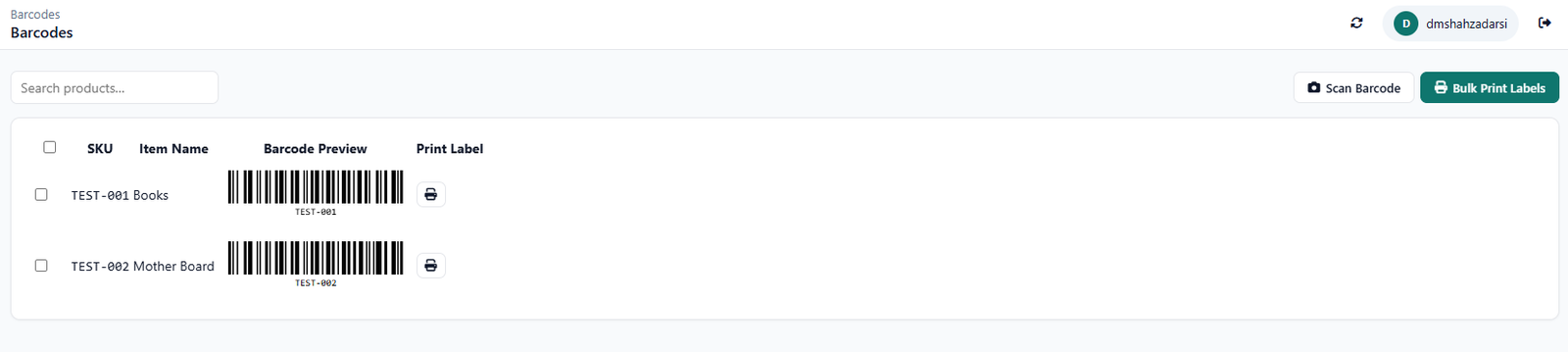
- Barcode scanning for fast stock checks
- Reorder points tuned to actual sell-through
- Multi-location visibility for stores with more than one branch
- Top Selling Item visibility on the dashboard
Who This Is For
- A single-location store that needs to trust what the shelf tag says
- A multi-location retailer tired of duplicate purchases between branches
- A retail owner who wants to know their top seller without pulling a manual report
How It Works
- Scan stock as it arrives. Barcode-based entry keeps receiving fast and accurate.
- Set reorder points from sell-through. Base triggers on actual velocity, not a guess.
- Check the dashboard daily. Top Selling Item and stock-by-location are visible at a glance.
- Catch shortages early. Get a flag before a best-seller actually runs out.
In Practice
A two-location hardware store (see our case study) used exactly this kind of visibility to cut inventory loss by 68%.
Free, Not Freemium
Every feature above is part of the same free CircularGuru Business Suite. See the complete list on the Features page, or the pricing itself on the Pricing page (short version: there isn't one).
FAQ
Is this actually free, or is there a paid tier later?
It's free with no paid tier to upgrade into. Every feature described on this page is part of the same free CircularGuru Business Suite, not a limited trial of a paid product.
What does it specifically include?
Barcode scanning for fast stock checks, Reorder points tuned to actual sell-through, Multi-location visibility for stores with more than one branch, and top selling item visibility on the dashboard.
What problem does this actually solve?
Retail inventory problems are usually invisible until a customer asks for something that's "in stock" on the shelf tag but not actually on the shelf.
Is there a real example of this working?
A two-location hardware store (see our case study) used exactly this kind of visibility to cut inventory loss by 68%.
Related Reading
- Hardware Store Case Study. directly related to this page
- Inventory Management Guide. the fundamentals this software is built to solve
- When to Stop Using Excel. recognizing the point where spreadsheets stop working