What's on This Page
The Dashboard
The moment you sign in, the Overview dashboard shows your business at a glance:
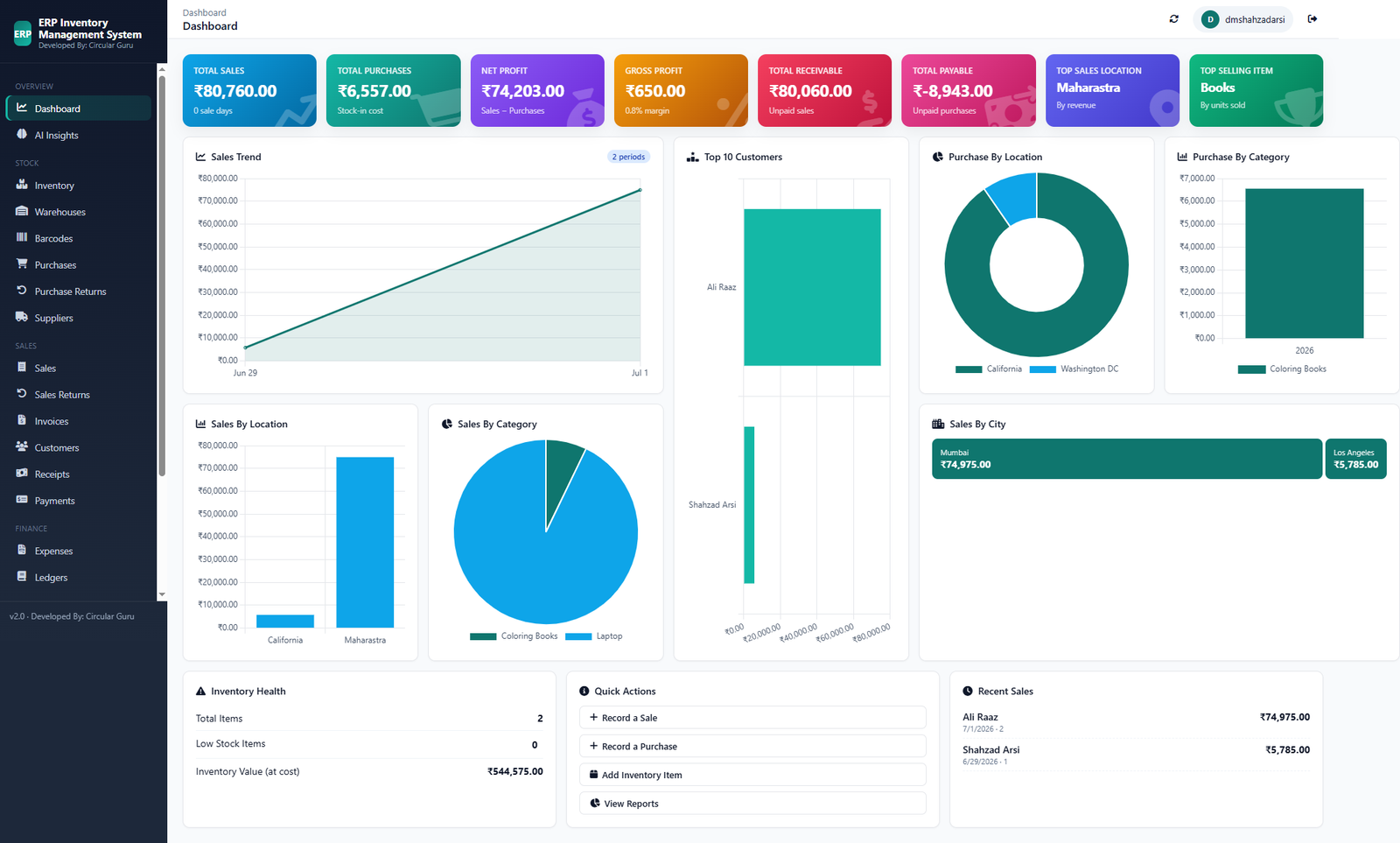
Total Sales
Revenue across all recorded sale days
Total Purchases
Your total stock-in cost
Net Profit
Sales minus purchases, calculated automatically
Gross Profit & Margin
Your margin percentage, always current
Total Receivable & Payable
What customers owe you, and what you owe suppliers
Top Sales Location & Top Selling Item
Which location and product are actually driving revenue
Below the Summary Cards
A Sales Trend chart shows revenue over time, a Top 10 Customers chart shows exactly who's buying, and Purchase/Sales breakdowns by location and category show where the business is actually concentrated. All without building a single spreadsheet formula.
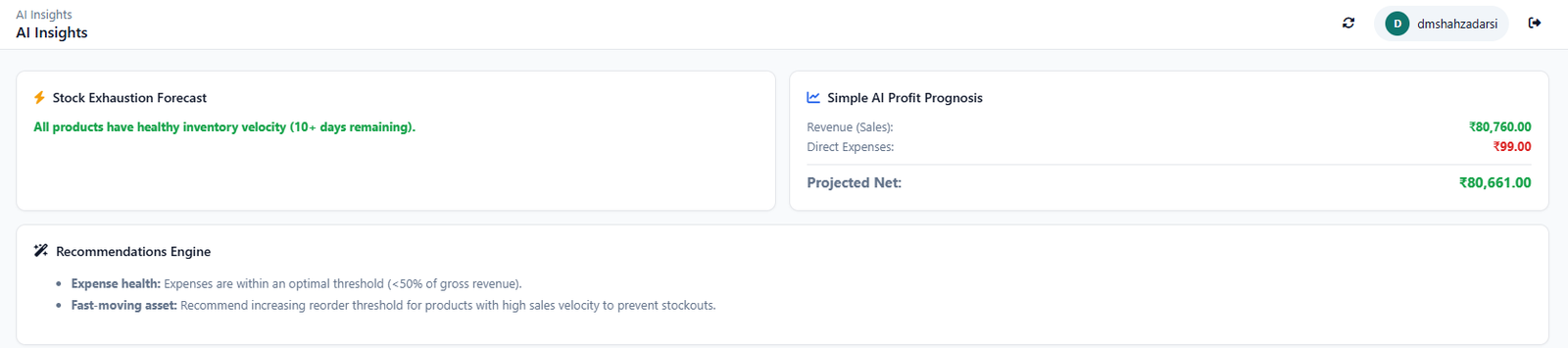
Walking Through a Typical Week
- A purchase arrives: logged under Purchases, stock updates automatically in Inventory
- A sale happens: logged under Sales, an Invoice is generated, stock decreases automatically
- A customer pays: logged as a Receipt against their invoice, their ledger balance updates
- You check the Dashboard: Net Profit, Total Receivable, and Top Selling Item already reflect all of it
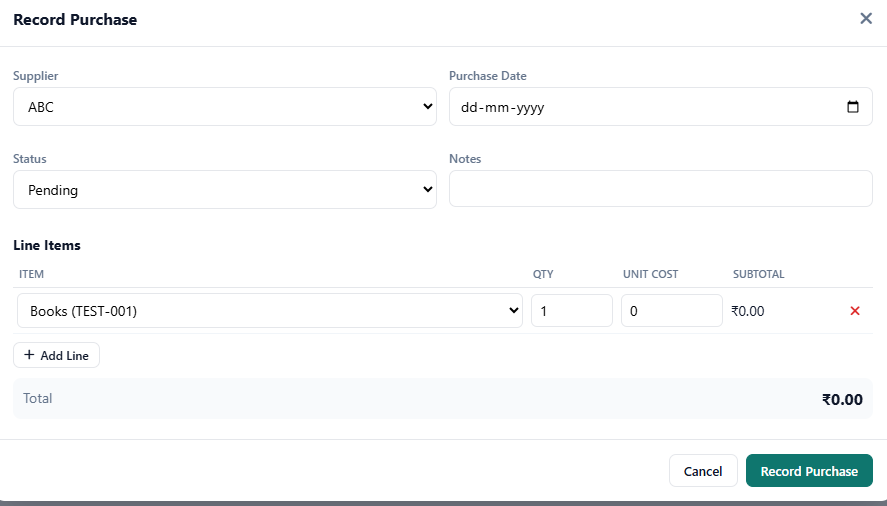
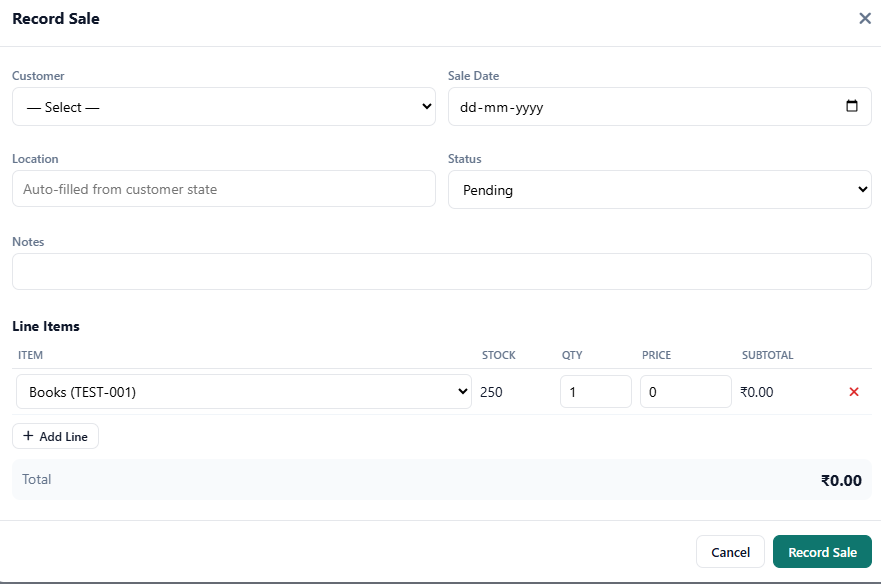
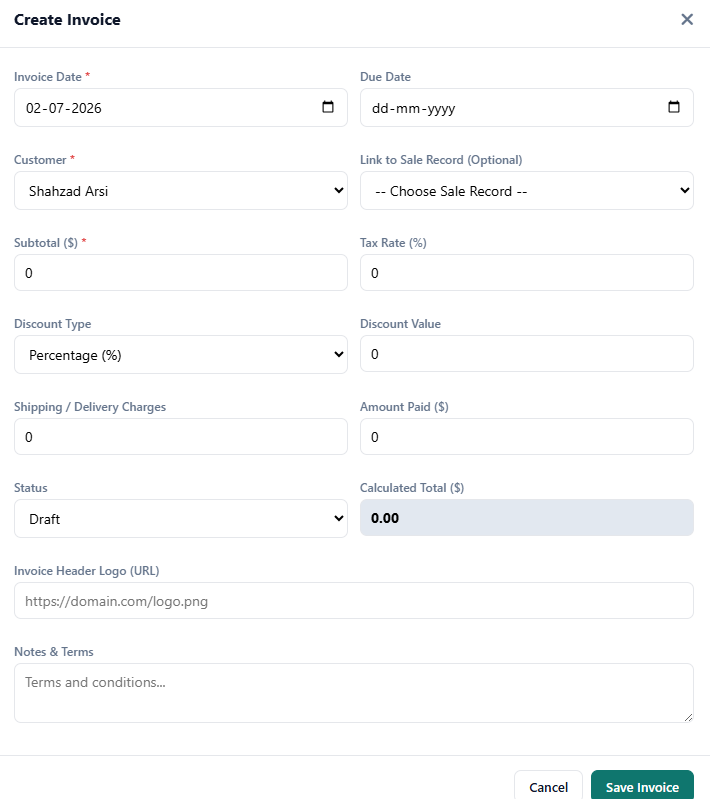
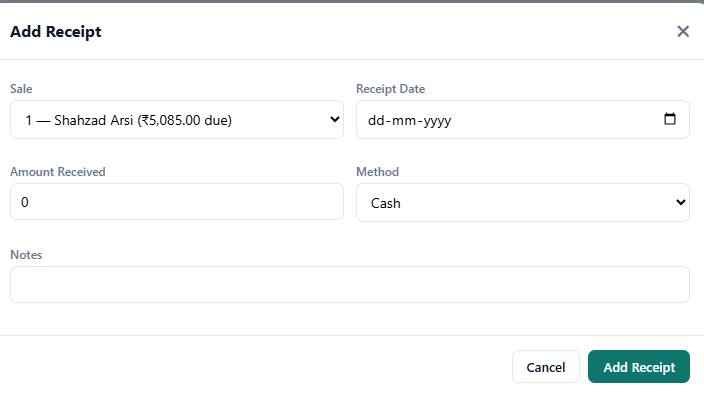
That's the entire pitch: the numbers our Knowledge Center guides teach you to calculate happen automatically here, instead of once a month in a spreadsheet.
FAQ
Is this demo a real screen or a mockup?
It describes a real screen from CircularGuru Business Suite v2.0, not a staged or simplified mockup built for marketing.
Do I need a guided tour or sales call to see the product?
No. There's no sign-up wall to look around, and creating a free account gives you the same dashboard described here.
How current are the numbers on the dashboard?
They update automatically as sales, purchases, and payments are recorded, rather than on a periodic refresh.
What happens in a typical week using the system?
Purchases update inventory automatically, sales generate invoices and reduce stock, payments update the customer ledger, and the dashboard reflects all of it without manual recalculation.
From the Knowledge Center
- Inventory Management Guide. why inventory mistakes cost more than they look like
- How to Track Sales Properly. seeing margin, not just revenue
- Cash Flow Guide. why profit and cash position are not the same thing