What's on This Page
What's Included
- Invoices generated directly from sales records
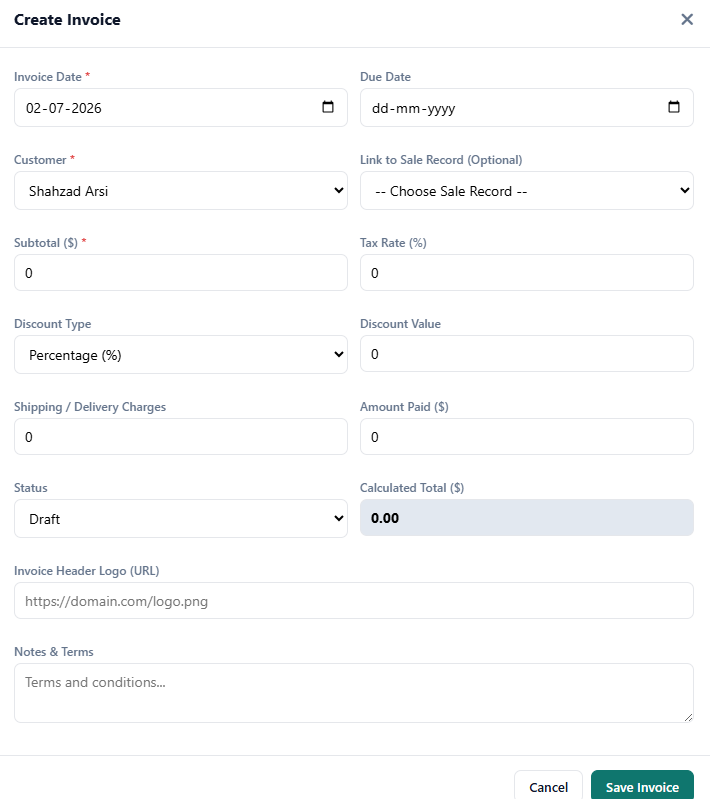
- Automatic subtotal and total calculations
- Tied to the customer's running ledger balance
- Receipts logged against the invoice automatically
Who This Is For
- A business currently re-typing the same sale into a separate invoicing tool
- A team that wants invoices tied to a real customer ledger, not a standalone PDF
- Anyone who wants receipts logged automatically against the right invoice
How It Works
- Record the sale. The invoice generates directly from the sale record, no re-entry.
- Totals calculate automatically. Subtotal, tax, and total are computed for you.
- Ties to the customer ledger. The invoice reflects against their running balance immediately.
- Log receipts on payment. Mark the invoice paid the moment the receipt is recorded.
In Practice
Prefer a standalone template first? Download our free Invoice Template.
Free, Not Freemium
Every feature above is part of the same free CircularGuru Business Suite. See the complete list on the Features page, or the pricing itself on the Pricing page (short version: there isn't one).
FAQ
Is this actually free, or is there a paid tier later?
It's free with no paid tier to upgrade into. Every feature described on this page is part of the same free CircularGuru Business Suite, not a limited trial of a paid product.
What does it specifically include?
Invoices generated directly from sales records, Automatic subtotal and total calculations, Tied to the customer's running ledger balance, and receipts logged against the invoice automatically.
What problem does this actually solve?
Standalone invoice generators are common and often free, but they don't know about your inventory or your customer's running balance. You end up re-entering the same sale twice.
Is there a real example of this working?
Prefer a standalone template first? Download our free Invoice Template.
Related Reading
- Invoice Template. directly related to this page
- Inventory Management Guide. the fundamentals this software is built to solve
- When to Stop Using Excel. recognizing the point where spreadsheets stop working