What's on This Page
What's Included
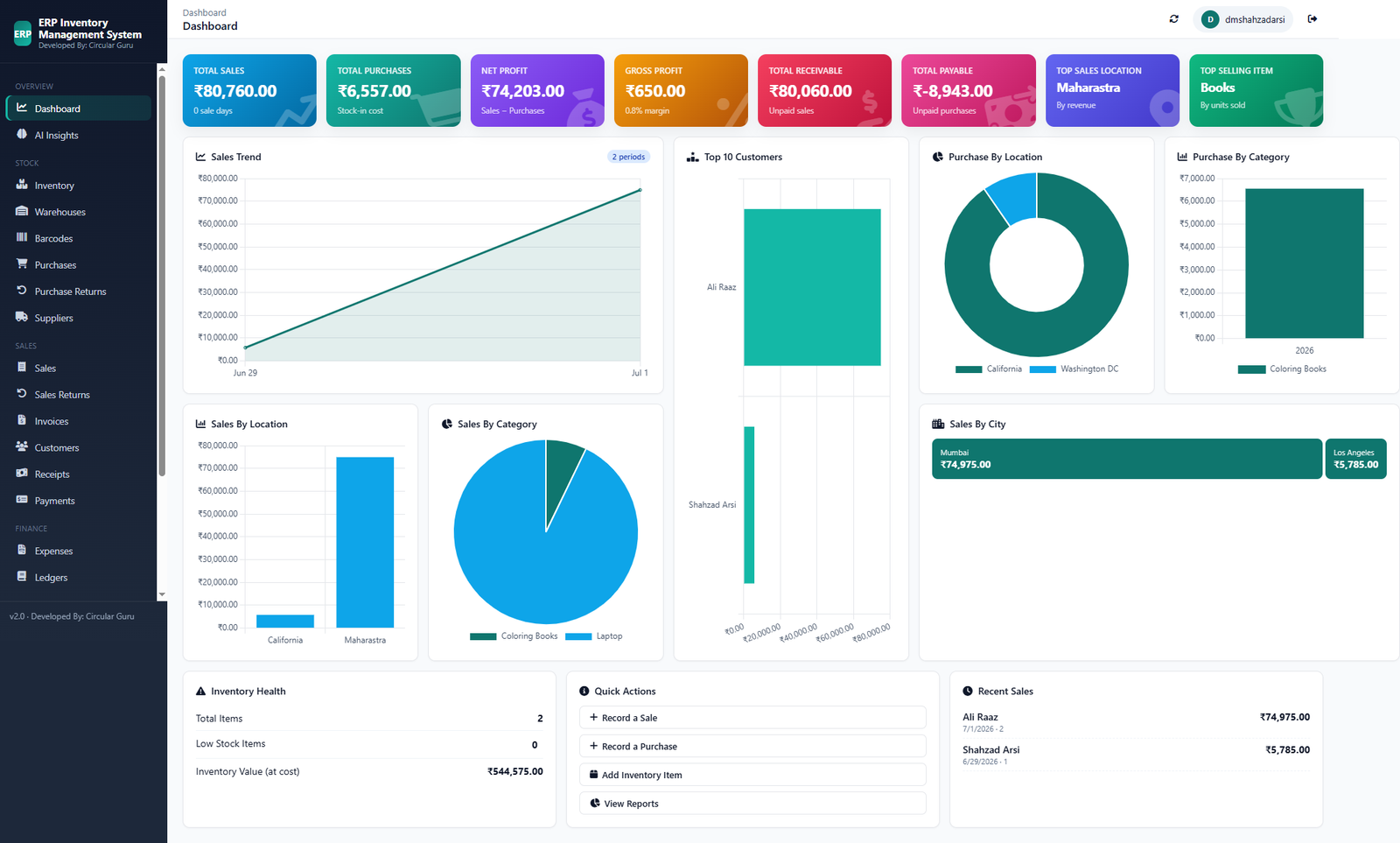
- Inventory value and margin tracked together
- Live sales and stock data in one dashboard
- Pairs directly with our free eCommerce calculators
- Customer and order history in one place
Who This Is For
- An online seller running one or more storefronts who wants margin visible next to stock
- A seller who currently checks three different tools to answer one question
- A growing store that wants customer and order history connected to inventory
How It Works
- Connect your catalog. Add cost and price per SKU alongside stock quantity.
- Record sales as they happen. Stock and margin update automatically with every sale.
- Check the dashboard. See real-time inventory value and per-SKU profitability together.
- Sanity-check with free calculators. Cross-reference against the eCommerce Profit Margin Calculator anytime.
In Practice
Run your numbers first with the eCommerce Profit Margin Calculator, then see them tracked automatically in the Business Suite.
Free, Not Freemium
Every feature above is part of the same free CircularGuru Business Suite. See the complete list on the Features page, or the pricing itself on the Pricing page (short version: there isn't one).
FAQ
Is this actually free, or is there a paid tier later?
It's free with no paid tier to upgrade into. Every feature described on this page is part of the same free CircularGuru Business Suite, not a limited trial of a paid product.
What does it specifically include?
Inventory value and margin tracked together, Live sales and stock data in one dashboard, Pairs directly with our free eCommerce calculators, and customer and order history in one place.
What problem does this actually solve?
eCommerce sellers already have a profit margin calculator, a stock spreadsheet, and a separate sales report. Three different numbers that should be one connected picture.
Is there a real example of this working?
Run your numbers first with the eCommerce Profit Margin Calculator, then see them tracked automatically in the Business Suite.
Related Reading
- eCommerce Profit Margin Calculator. directly related to this page
- Inventory Management Guide. the fundamentals this software is built to solve
- When to Stop Using Excel. recognizing the point where spreadsheets stop working