What's on This Page
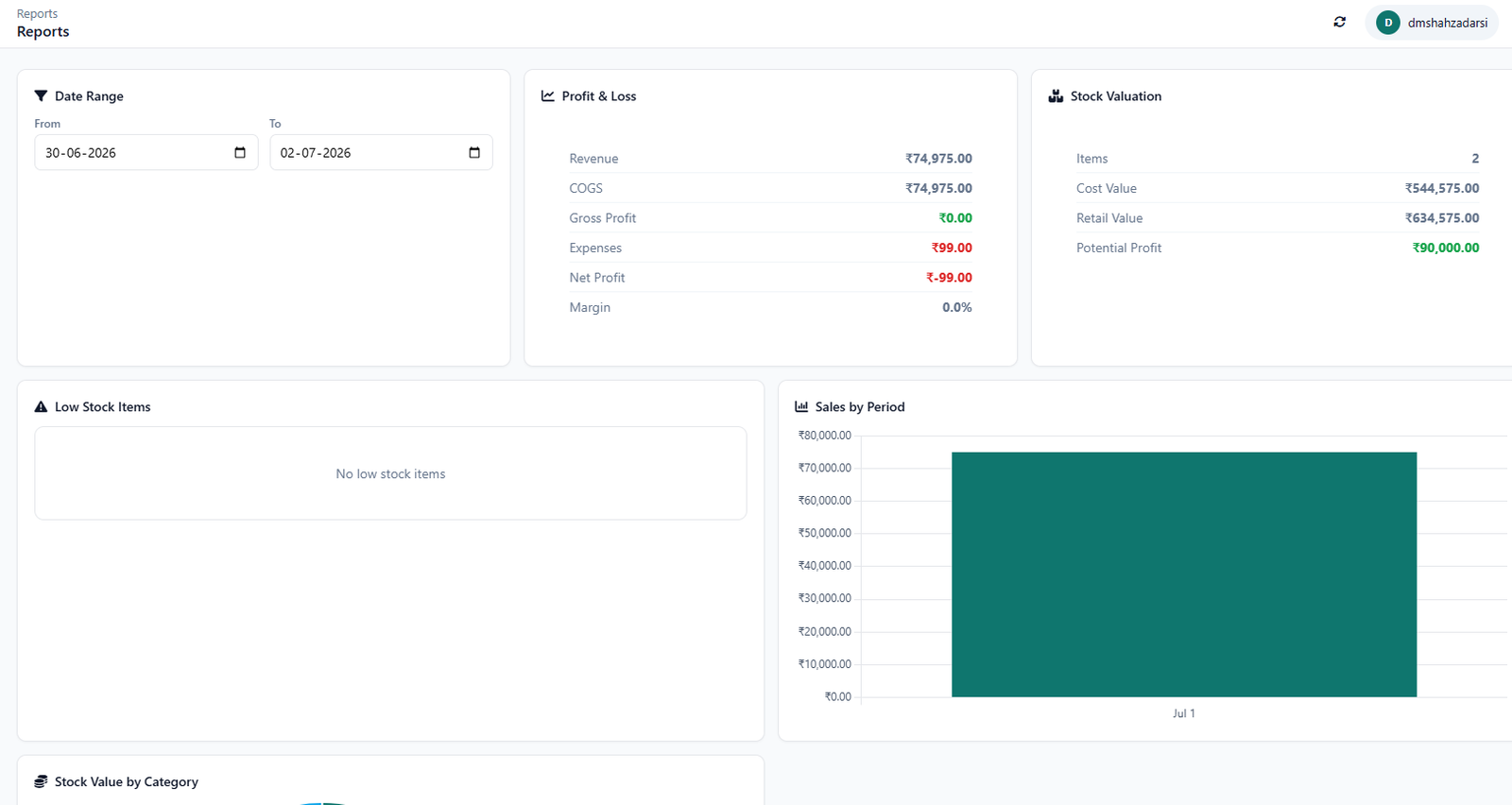
What's Included
- Inventory turnover and days-on-hand calculated automatically
- Dead stock visibility built in
- Reports available on demand, not just at month-end
- Pairs with our free Business KPI Checklist
Who This Is For
- A business that can see a stock list but not an inventory turnover rate
- A team that only reviews KPIs once a month because building the report takes too long
- Anyone who suspects they have dead stock but has never actually quantified it
How It Works
- Record transactions as usual. Every purchase and sale feeds the reporting layer automatically.
- KPIs calculate themselves. Turnover and days-on-hand update without a manual formula.
- Dead stock gets flagged. Based on actual sell-through, not a guess or a gut feeling.
- Pull reports on demand. Not just once a month, whenever the number is actually needed.
In Practice
See the full list of KPIs this replaces in Inventory KPIs Every Business Should Track.
Free, Not Freemium
Every feature above is part of the same free CircularGuru Business Suite. See the complete list on the Features page, or the pricing itself on the Pricing page (short version: there isn't one).
FAQ
Is this actually free, or is there a paid tier later?
It's free with no paid tier to upgrade into. Every feature described on this page is part of the same free CircularGuru Business Suite, not a limited trial of a paid product.
What does it specifically include?
Inventory turnover and days-on-hand calculated automatically, Dead stock visibility built in, Reports available on demand, not just at month-end, and pairs with our free business kpi checklist.
What problem does this actually solve?
Most inventory tools can show you a stock list. Far fewer can tell you your inventory turnover rate or how much of your stock qualifies as dead stock without a manual spreadsheet exercise.
Is there a real example of this working?
See the full list of KPIs this replaces in Inventory KPIs Every Business Should Track.
Related Reading
- Inventory KPIs Guide. directly related to this page
- Inventory Management Guide. the fundamentals this software is built to solve
- When to Stop Using Excel. recognizing the point where spreadsheets stop working