What's on This Page
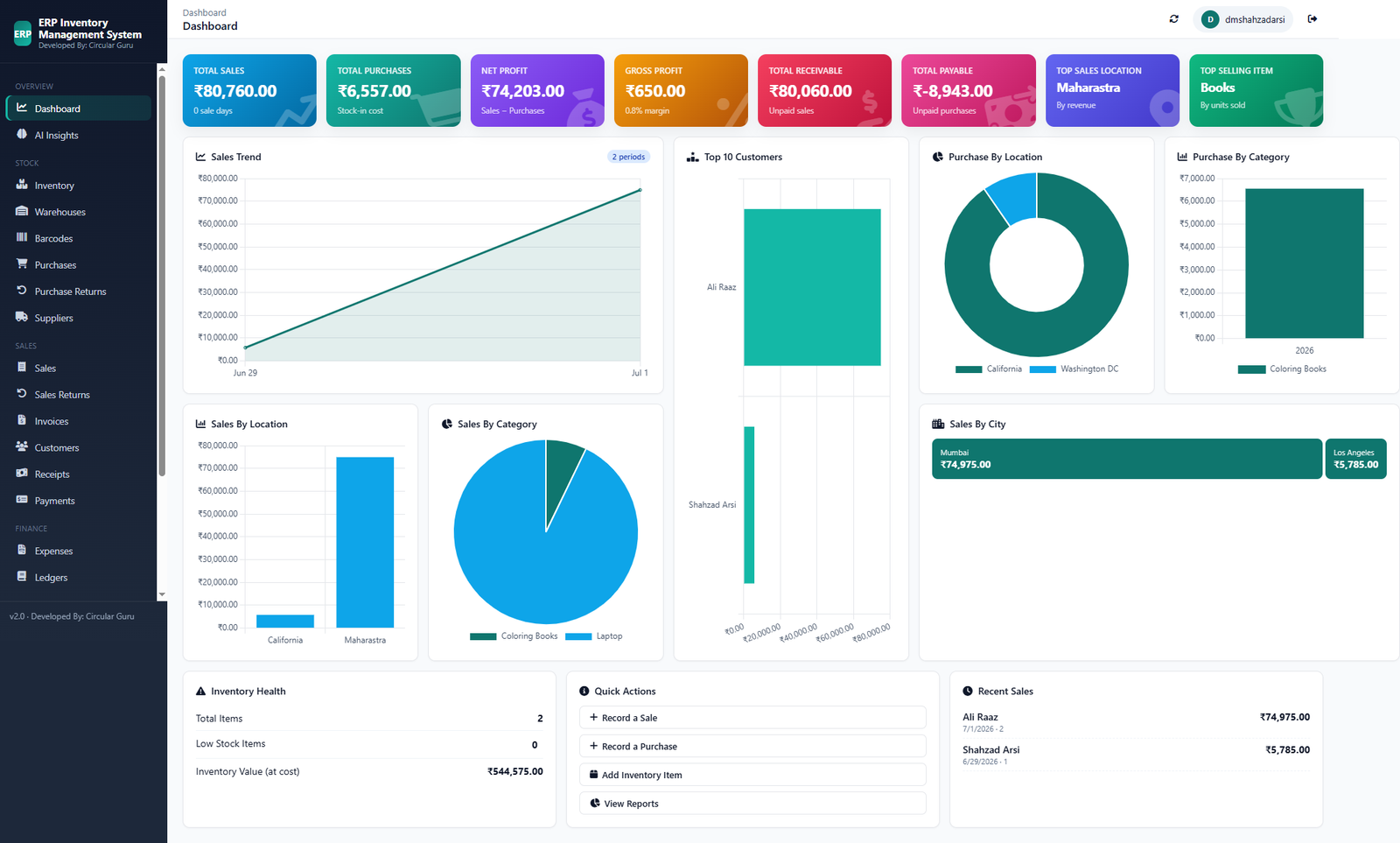
What's Included
- Total Sales, Purchases, Net Profit, and Gross Profit together
- Total Receivable and Total Payable, live
- Top Sales Location and Top Selling Item
- Sales Trend and Top Customers charts
Who This Is For
- An owner checking a dashboard that shows revenue and nothing else
- A business that wants receivables and payables visible without a separate report
- Anyone who wants Top Selling Item and Sales Trend on the same screen as Net Profit
How It Works
- Record transactions normally. Sales, purchases, and payments feed the dashboard automatically.
- See profit calculated live. Total Sales, Net Profit, and Gross Profit update with no manual entry.
- Track receivables and payables. Both stay current as invoices are paid on either side.
- Check top performers. Top Sales Location and Top Selling Item, with no report to build.
In Practice
See exactly what this dashboard shows on our Demo page. It's a real screen, not a mockup.
Free, Not Freemium
Every feature above is part of the same free CircularGuru Business Suite. See the complete list on the Features page, or the pricing itself on the Pricing page (short version: there isn't one).
FAQ
Is this actually free, or is there a paid tier later?
It's free with no paid tier to upgrade into. Every feature described on this page is part of the same free CircularGuru Business Suite, not a limited trial of a paid product.
What does it specifically include?
Total Sales, Purchases, Net Profit, and Gross Profit together, Total Receivable and Total Payable, live, Top Sales Location and Top Selling Item, and sales trend and top customers charts.
What problem does this actually solve?
A lot of "business dashboards" show revenue trending up and call it a day. Without net profit, receivables, or payables anywhere on the screen.
Is there a real example of this working?
See exactly what this dashboard shows on our Demo page. It's a real screen, not a mockup.
Related Reading
- Business Suite Demo. directly related to this page
- Inventory Management Guide. the fundamentals this software is built to solve
- When to Stop Using Excel. recognizing the point where spreadsheets stop working