What's on This Page
Where the Approaches Differ
| Dimension | How They Compare |
|---|---|
| Collaboration | Google Sheets already handles simultaneous editing well. Where it still falls short of CircularGuru is in built-in business workflows: purchase orders, invoicing, and customer ledgers still need to be built manually with formulas. |
| Structured data integrity | A spreadsheet has no enforced structure. A stray edit to a formula cell can silently break a calculation. CircularGuru's data model prevents that class of error. |
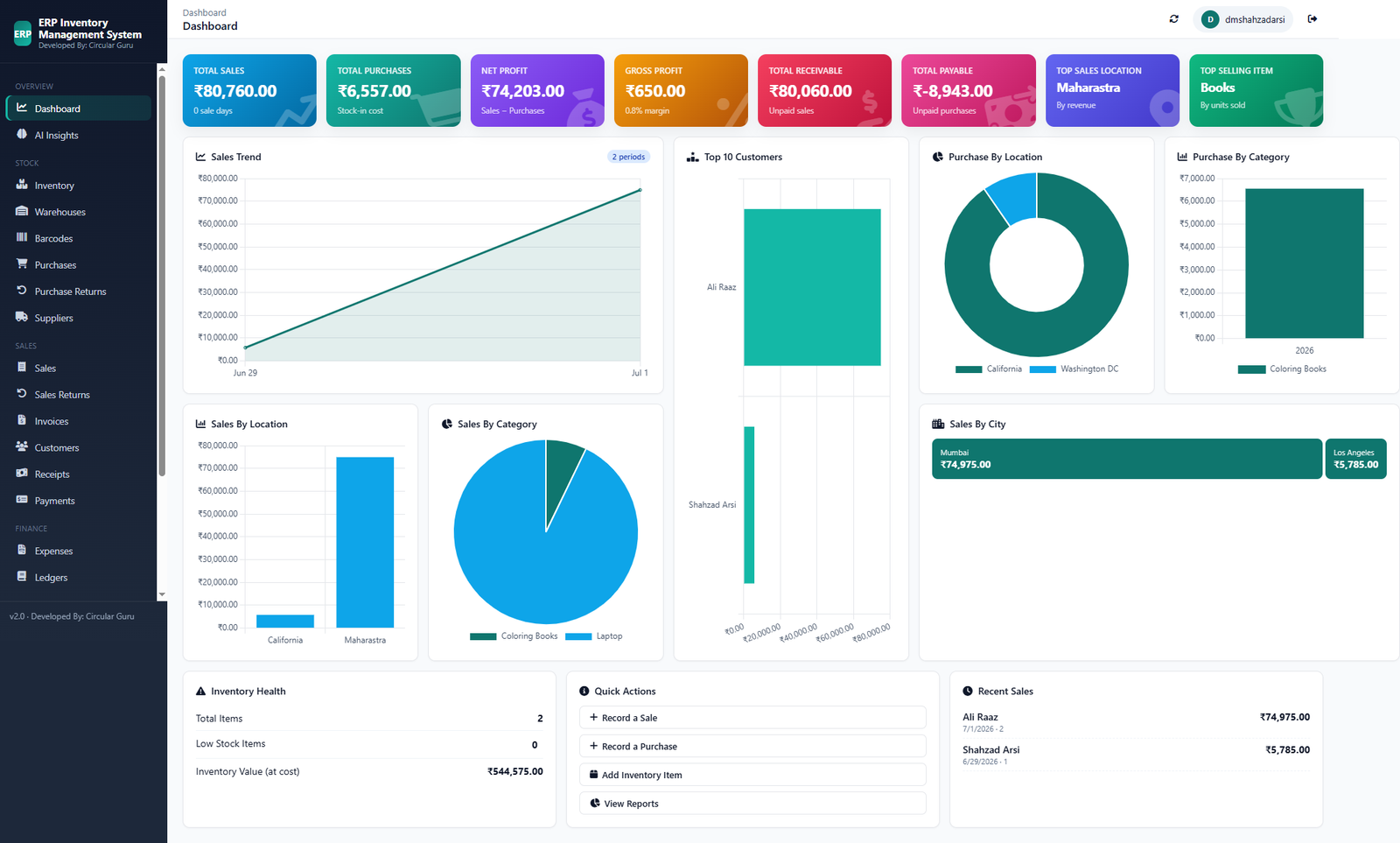
| Reporting | Building a sales trend chart or a top-customers report in Sheets means building the pivot tables and charts yourself, every time your data changes shape. CircularGuru's dashboard is already built. |
| Access control | Sheets permissions are file-level. CircularGuru supports per-user access as part of the system itself. |
A note on fairness: Google Sheets pricing, plans, and features change over time. Please verify current details directly with them before deciding. This page compares general category-level approaches, not a line-by-line feature audit.
Who Should Consider Switching
- Built-in business workflows like purchase orders and invoicing are still built manually with formulas
- Reports and dashboards need to be rebuilt by hand every time the data changes shape
- A stray formula edit has silently broken a calculation before
Before You Switch
- List which workflows, POs, invoicing, ledgers, still rely on manual formulas
- Check how often reports get rebuilt from scratch
- Confirm whether access control needs to go beyond file-level sharing
- Decide which sheet-based process to migrate first
See the Free Alternative
Full feature breakdown on the Features page.
FAQ
Isn't Google Sheets already good enough for a small team?
For collaboration, yes, it solves Excel's biggest weakness. Where it still falls short is built-in business workflows like purchase orders and customer ledgers, which still need to be built manually with formulas.
What's the main risk of running a business on Sheets long-term?
A stray edit to a formula cell can silently break a calculation with no enforced structure to catch it, which becomes riskier as more people and more data are involved.
Does CircularGuru replace the reporting Sheets can do with pivot tables?
Yes. The dashboard, sales trend, and top-customers views are already built, rather than needing to be reconstructed every time the underlying data changes shape.
Related Reading
- When to Stop Using Excel. the underlying question behind most of these comparisons
- Inventory Management Guide. what a connected system actually solves
- Business Systems Guide. why documented systems beat memory-based processes